
How To Upload Your Best Ball Exposure CSV To Best Ball HQ
Having trouble uploading your best ball player exposures to Best Ball HQ? Use this step-by-step guide to cross the finish line.
Fantasy Life's Best Ball HQ is the most comprehensive companion you've had for best ball yet. You can track player exposures, view team stacks and player combinations, get a sense of where your bankroll is tied up, and more.
And as the old adage goes, the first step is often the hardest. In the case of Best Ball HQ, the most complicated step is uploading your CSV—and we assure you it's not complicated, that's just how easy Best Ball HQ is to use.
Simply follow the steps outlined below to successfully upload your Underdog best ball exposures CSV to Best Ball HQ*.
*Note: Underdog only allows for one portfolio CSV email/download per day.
Step 1: Accessing and Downloading Your Player Exposures From Underdog
To begin the process, you'll actually have to start on the Underdog side (specifically on the computer, as mobile does not support CSV download).
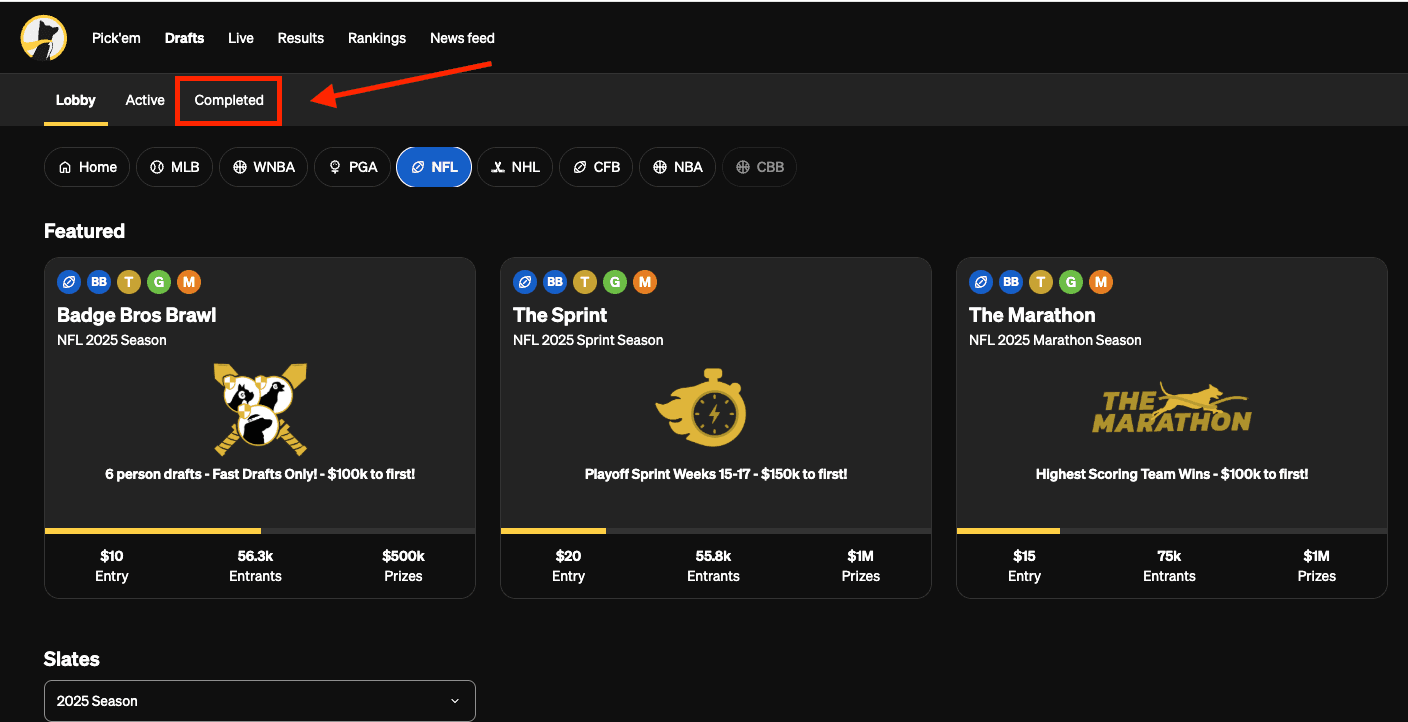
When on your Underdog homepage, navigate to the "Drafts" tab on the uppermost menu. From there, select "Completed" from the submenu, shown below.
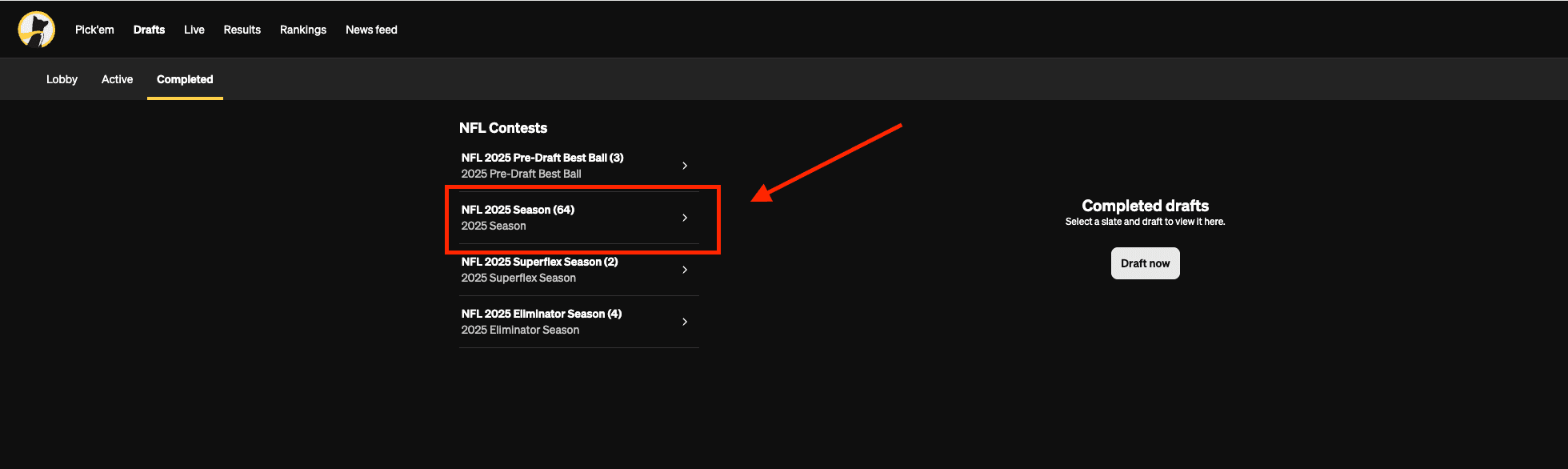
Once on the "Completed" tab, you will see all of your completed drafts, organized by type of draft. NFL 2025 Season will be where most of your drafts are. This houses contests like Best Ball Mania, The Puppy, and more. Various other formats will be shown, and these will include formats like Pre-NFL Draft contests, Superflex formats, Eliminator drafts, and more specialty formats.
Click on "NFL Season 2025" to access your player exposures.
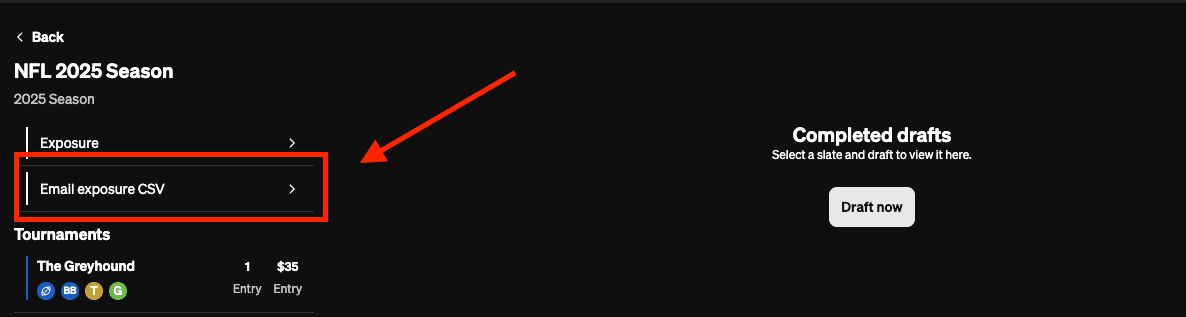
From there, you will see a tournament-by-tournament breakdown of your teams on the left-hand side, with an "Email exposure CSV" option sitting above them. Click that button and Underdog will send you an email (to the email associated with your Underdog account) with an attachment that contains your player exposures CSV.
The email containing your exposures will come from support@underdog.com, and look like this:
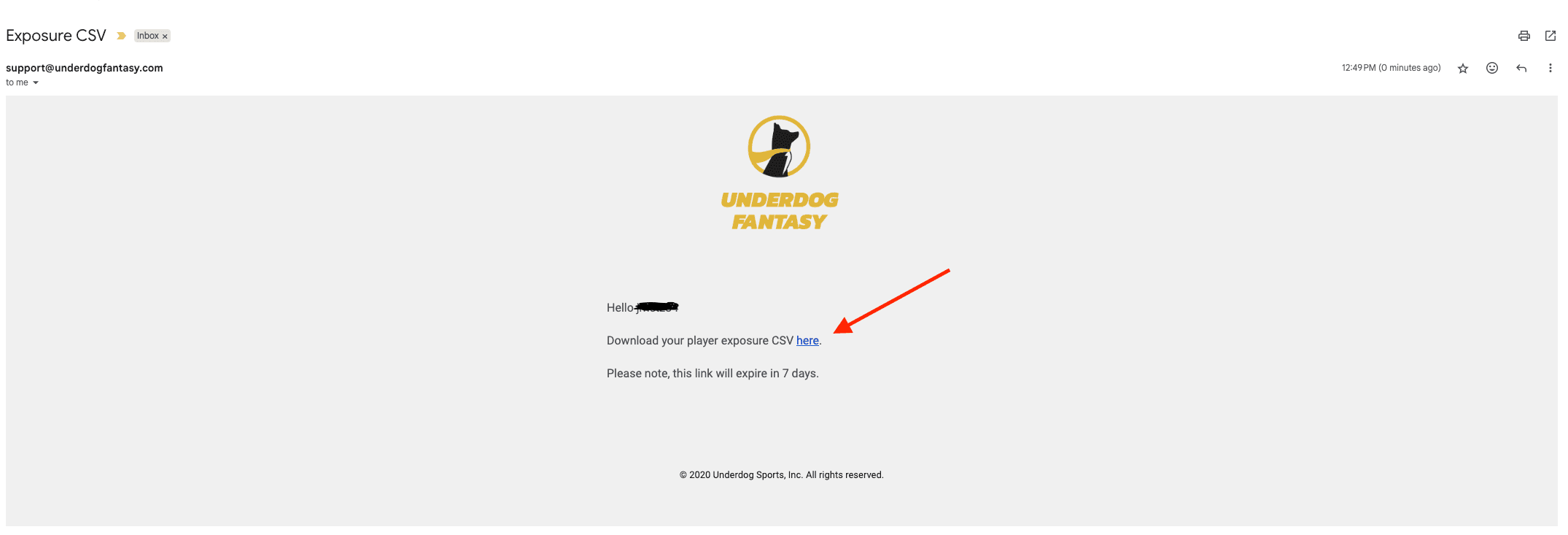
To finalize your player exposure CSV download, click the hyperlinked "here" text in the email from Underdog support.
Step 2: Uploading Your Player Exposures To Best Ball HQ
We're 95% of the way there—only one step remaining.
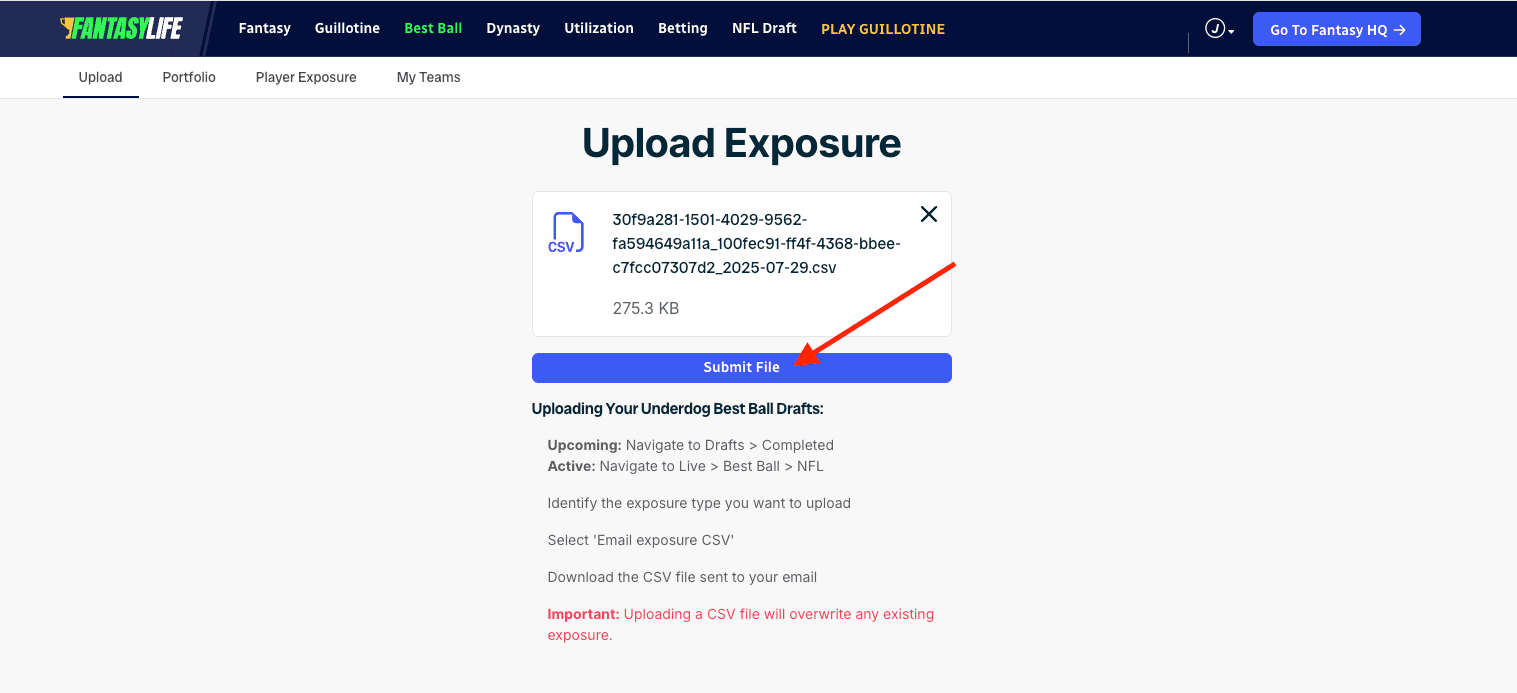
Once you have downloaded your CSV file of your player exposures, head to Best Ball HQ to upload your exposures. Simply drag and drop your CSV file that Underdog emailed you to the upload box (shown below), click "Submit File", and your exposures will be uploaded and viewable in Best Ball HQ.
Join Our Newsletter
Trusted by 400,000+ fantasy football players. Get access to Fantasy Life's free award winning newsletter and tools, all in one step.
By registering or logging in, you agree to our Terms of Use and Privacy Policy.